Showing posts with label Html. Show all posts
Showing posts with label Html. Show all posts
Monday, 16 May 2011

Thursday, 12 May 2011
Social Networking..
Todays lecture ( and the last one of the year! ) was on social networking, we discussed twitter, facebook and various other networks. Shaun showed us his personal facebook page & then his own facebook page which was effectively like an online portfolio - nothing from his personal facebook just work he wanted to show - I am going to make one of these.
Also linked my facebook, twitter, vimeo & blogger to my website! :)
Not many people in the lecture had twitter although I have had mine a while now & not only use it to tweet about what i'm doing but it's really good for finding out news, celebrity gossip & jobs are always advertised on there if you search for it.
Also linked my facebook, twitter, vimeo & blogger to my website! :)
Not many people in the lecture had twitter although I have had mine a while now & not only use it to tweet about what i'm doing but it's really good for finding out news, celebrity gossip & jobs are always advertised on there if you search for it.
Friday, 6 May 2011
Embedding Video! :)
Embedding video onto my film page of my portfolio! Alot easier than I expected, now I just need to finish the Gallery page..


Thursday, 5 May 2011
Typography
Todays seminar was about typography. The font used for a design - website, tshirt, book - anything.
Problems for web typography:
- Has to work across different computer platforms and screen sizes
- The Web designer must understand issues and to address them
- Maintain some kind of control
- Line length and number of lines
- Font sizes

Association with branding logos due to typography:

Less is more:
- Don’t mix too many fonts in a web page.
- Generally, 2 fonts are sufficient in any design.
- Don’t forget you can use the typeface variations (bold, italic, etc) for different content areas.
- Try designing a page that uses only 1 font for all text areas.

Problems for web typography:
- Has to work across different computer platforms and screen sizes
- The Web designer must understand issues and to address them
- Maintain some kind of control
- Line length and number of lines
- Font sizes

Association with branding logos due to typography:

Less is more:
- Don’t mix too many fonts in a web page.
- Generally, 2 fonts are sufficient in any design.
- Don’t forget you can use the typeface variations (bold, italic, etc) for different content areas.
- Try designing a page that uses only 1 font for all text areas.

Thursday, 21 April 2011
Opinions Please..
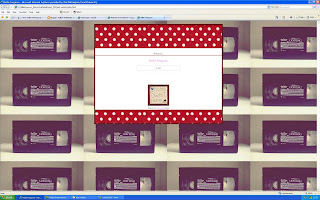
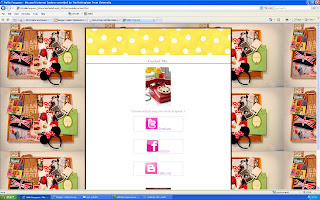
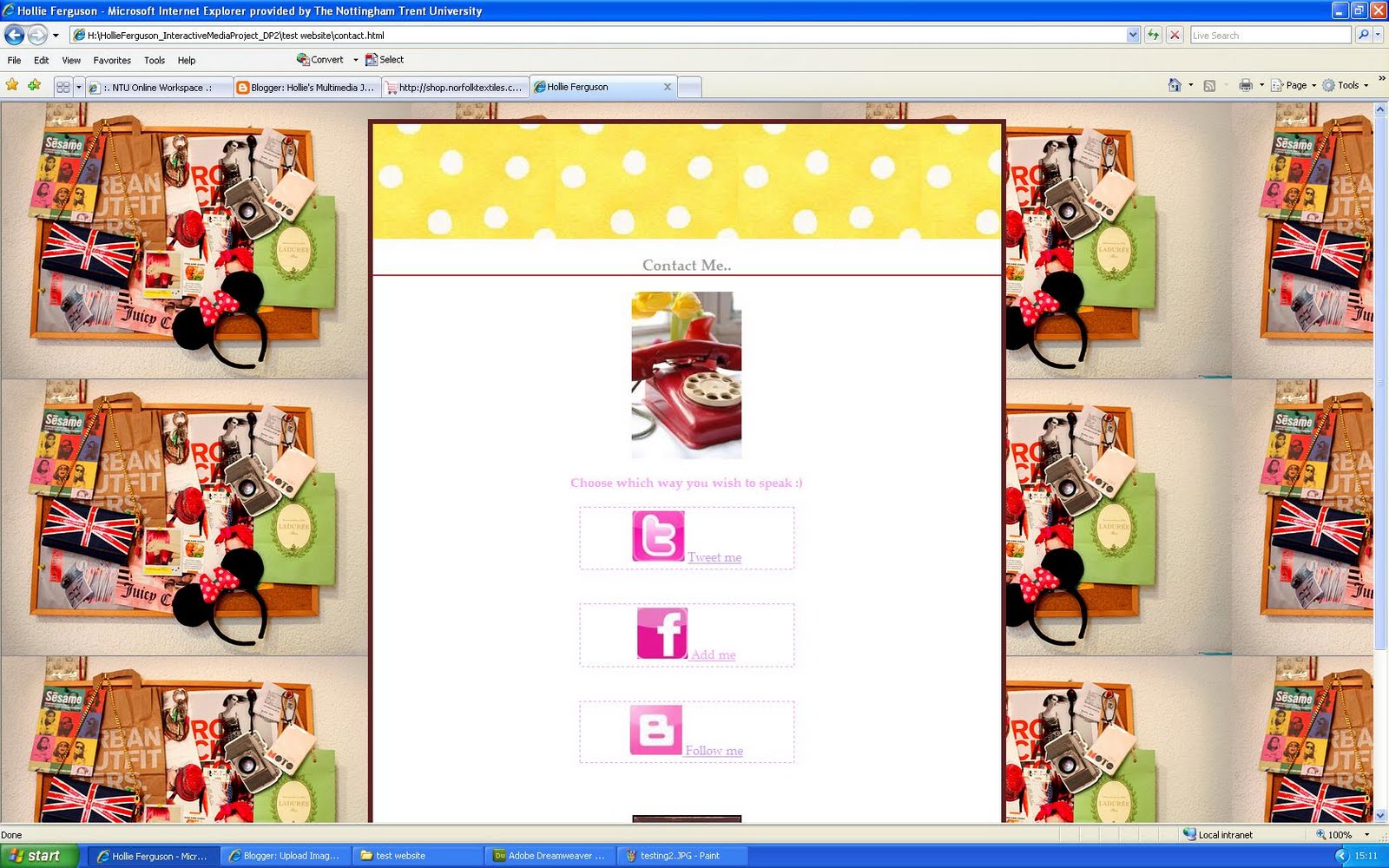
Can't decide if to keep the background the same throughout the website or to change it for each page?
Ideas...




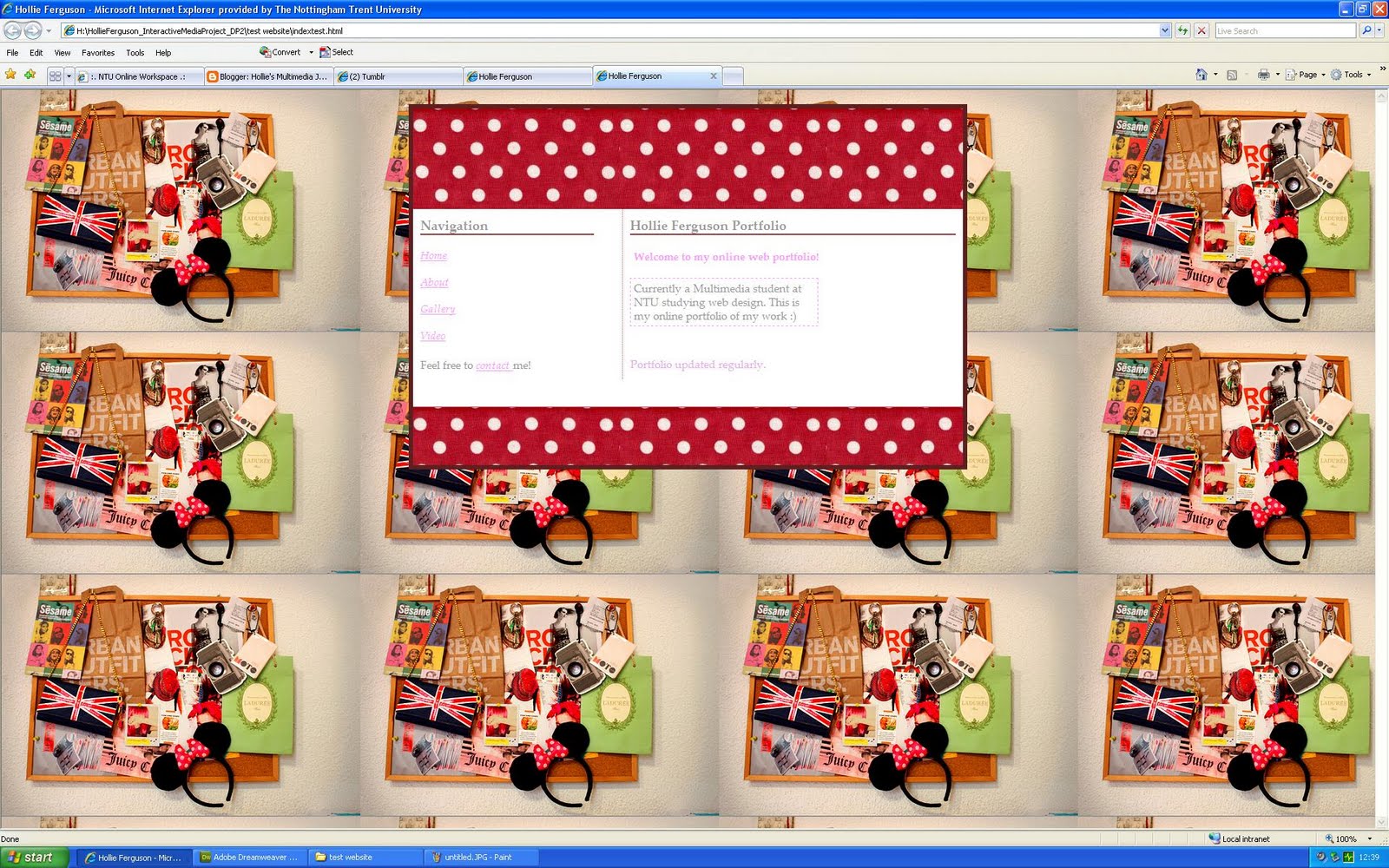
I then saw Simon who I asked what he thought about changing the background he said it was a good idea as it relates to the zone of the website.
visual identity of 'zone' expressed using colour or design
visual communication is about:
communication
visual interest/drama
and the play between the two
for example:

This is the navigation - where you look where to go. i.e my links like home, about, gallery, video & contact.

This is the zone to see where you are & where else you can go.

This is the identity of the page, you know where you are on the website & it is clear to see.
Simon said the backgrounds I use are a bit "busy" which may distract from the content - so I suggested maybe keeping the background the same image but changing the colour of the dots in the box of content.
For example here I have used green dots



Ideas...


I then saw Simon who I asked what he thought about changing the background he said it was a good idea as it relates to the zone of the website.
visual identity of 'zone' expressed using colour or design
visual communication is about:
communication
visual interest/drama
and the play between the two
for example:

This is the navigation - where you look where to go. i.e my links like home, about, gallery, video & contact.

This is the zone to see where you are & where else you can go.

This is the identity of the page, you know where you are on the website & it is clear to see.
Simon said the backgrounds I use are a bit "busy" which may distract from the content - so I suggested maybe keeping the background the same image but changing the colour of the dots in the box of content.
For example here I have used green dots

So far...



Thursday, 14 April 2011
Screenshots So Far..


These are shots of what I have done today, i'm still unsure if this is the theme and colours I will be using but the layout is how I wanted from my wireframes! :)
Wednesday, 13 April 2011
3 Websites..
3 websites I really like & will have inspiration for my portfolio from.
Kate Nash: http://www.katenash.co.uk/home.php

I love the layout of this & images used. Not everything is boxed in like a normal website. Texts used are very simple but balanced out with abstract images.
Rihanna: http://www.rihannanow.com/

For this one it's clearly the pink colour theme I like :) The contact buttons eg facebook & twitter are in pink which I now want for my portfolio! I also think the logo makes it look proffesional & identity of her is know straight away.
Orange Tree: http://www.orangetree.co.uk/

This one is really effective, different website & probably a bit out of my league to try and copy some aspects such as the navigation but I like how the pictures connect with the link, such as the camera for photo albums, phone for contact & c.d player to control the music on the site.
Kate Nash: http://www.katenash.co.uk/home.php

I love the layout of this & images used. Not everything is boxed in like a normal website. Texts used are very simple but balanced out with abstract images.
Rihanna: http://www.rihannanow.com/

For this one it's clearly the pink colour theme I like :) The contact buttons eg facebook & twitter are in pink which I now want for my portfolio! I also think the logo makes it look proffesional & identity of her is know straight away.
Orange Tree: http://www.orangetree.co.uk/

This one is really effective, different website & probably a bit out of my league to try and copy some aspects such as the navigation but I like how the pictures connect with the link, such as the camera for photo albums, phone for contact & c.d player to control the music on the site.
Interactive
Today was the first day back & I used many codes on dreamweaver to get some ideas for my portfolio. I tried using background images & different div tags which can be seen here:


Friday, 25 March 2011
Digital Me - Moodboard
Today we created a moodboard to reflect our personal interests & describe our personal branding.
Personal Branding:
"is the process whereby people and their careers are marked as brands.It has been noted that while previous self-help management techniques were about self-improvement, the personal branding concept suggests instead that success comes from self-packaging. Further defined as the creation of an asset that pertains to a particular person or individual; this includes but is not limited to the body, clothing, appearance and knowledge contained within, leading to an indelible impression that is uniquely distinguishable. The term is thought to have been first used and discussed in a 1997 article by Tom Peters."
"Personal branding often involves the application of one's name to various products. For example, celebrity real-estate mogul Donald Trump uses his last name extensively on his buildings and on the products he endorses (e.g Trump Steaks)"
http://mashable.com/2009/02/05/personal-branding-101/
"Many people think that personal branding is just for celebrities such as Paris Hilton or Britney Spears, yet each and every one of us is a brand. Personal branding, by definition, is the process by which we market ourselves to others. As a brand, we can leverage the same strategies that make these celebrities or corporate brands appeal to others. We can build brand equity just like them."
This is my moodboard:

I created it on the IMGSPARK website, there is a colour theme of pink - hence being my favourite colour. I like "girly" things such as make up, shoes, my boyfriend. I feel this moodboard portrays me well as someone whom has never spoke to me could guess my personality from this. Doing this moodboard did give me ideas for my portfolio - such as themes I could use, what I want to include in the portfolio & how much I can put onto the portfolio to make it about me as much as possible. I also thought about font & although I love pink - keeping it black & professional will look better!
Personal Branding:
"is the process whereby people and their careers are marked as brands.It has been noted that while previous self-help management techniques were about self-improvement, the personal branding concept suggests instead that success comes from self-packaging. Further defined as the creation of an asset that pertains to a particular person or individual; this includes but is not limited to the body, clothing, appearance and knowledge contained within, leading to an indelible impression that is uniquely distinguishable. The term is thought to have been first used and discussed in a 1997 article by Tom Peters."
"Personal branding often involves the application of one's name to various products. For example, celebrity real-estate mogul Donald Trump uses his last name extensively on his buildings and on the products he endorses (e.g Trump Steaks)"
http://mashable.com/2009/02/05/personal-branding-101/
"Many people think that personal branding is just for celebrities such as Paris Hilton or Britney Spears, yet each and every one of us is a brand. Personal branding, by definition, is the process by which we market ourselves to others. As a brand, we can leverage the same strategies that make these celebrities or corporate brands appeal to others. We can build brand equity just like them."
This is my moodboard:

I created it on the IMGSPARK website, there is a colour theme of pink - hence being my favourite colour. I like "girly" things such as make up, shoes, my boyfriend. I feel this moodboard portrays me well as someone whom has never spoke to me could guess my personality from this. Doing this moodboard did give me ideas for my portfolio - such as themes I could use, what I want to include in the portfolio & how much I can put onto the portfolio to make it about me as much as possible. I also thought about font & although I love pink - keeping it black & professional will look better!
Wednesday, 23 March 2011
Interactive..
Seminar with Giselle today in which we went over the basics of html in dreamweaver. We created an index page & CSS.
We used text codes & added images for backgrounds. I have a rough idea how I want my portfolio to look already.
Also had a look on this website which was good for ideas: http://www.smashingmagazine.com/2009/02/26/10-steps-to-the-perfect-portfolio-website/
Loving the sunshineeeeeeeeeeee!

We used text codes & added images for backgrounds. I have a rough idea how I want my portfolio to look already.
Also had a look on this website which was good for ideas: http://www.smashingmagazine.com/2009/02/26/10-steps-to-the-perfect-portfolio-website/
Loving the sunshineeeeeeeeeeee!

Tuesday, 12 October 2010
Html
Today in the seminar we learnt the basics of Html. I have used html before on myspace & dreamweaver although this was quite a while ago & my memory isn't great!
Html stands for hypertext markup language. A tag has to be entered for everything you want to do. if you need to return
like this
you need to add the tag < br / >
meaning break.
All html has the basics such as
< html >
< head >
< body >
< br > < b > < i > < u >
< img src="..." >
I've had to leave spaces in between the tags as blogger uses html & if i don't use the space it will apply that code.
Colours can be used by looking at the colour grid for the code and changing it to wherever you want on the html code.

Html stands for hypertext markup language. A tag has to be entered for everything you want to do. if you need to return
like this
you need to add the tag < br / >
meaning break.
All html has the basics such as
< html >
< head >
< body >
< br > < b > < i > < u >
< img src="..." >
I've had to leave spaces in between the tags as blogger uses html & if i don't use the space it will apply that code.
Colours can be used by looking at the colour grid for the code and changing it to wherever you want on the html code.

Subscribe to:
Posts (Atom)